MDOStudio Product Introduction
Multidisciplinary workflow automation for optimization studies and solver-driven engineering work.
MDOStudio is a desktop platform for multidisciplinary design optimization and engineering workflow automation. The product helps teams define a study, build a workflow, connect evaluation steps, launch repeated runs, and inspect outputs inside one consistent working environment.
It fits engineering work that depends on real external solvers, control logic, repeated evaluations, and study reuse across interactive runs and batch execution.
Workflow construction and control logic
Build workflows visually, place engineering nodes, define data flow, and control execution with logic that matches real engineering procedures.
- Node-based workflow canvas
- Branching, switching, looping
- Error handling and staged execution
Optimization studies
Run structured optimization studies instead of manual parameter tuning when a design has to improve against one or several targets.
- Single-objective optimization
- Multi-objective optimization
- Repeatable study setup and comparison
Design exploration and uncertainty work
Explore design spaces and evaluate response behavior before committing to a final engineering decision.
- Design of experiments
- Surrogate modeling and sensitivity analysis
- Robust optimization and uncertainty quantification
Solver-connected execution
Call external analysis tools, collect outputs, feed results back into the workflow, and reuse the same project for interactive or command-line execution.
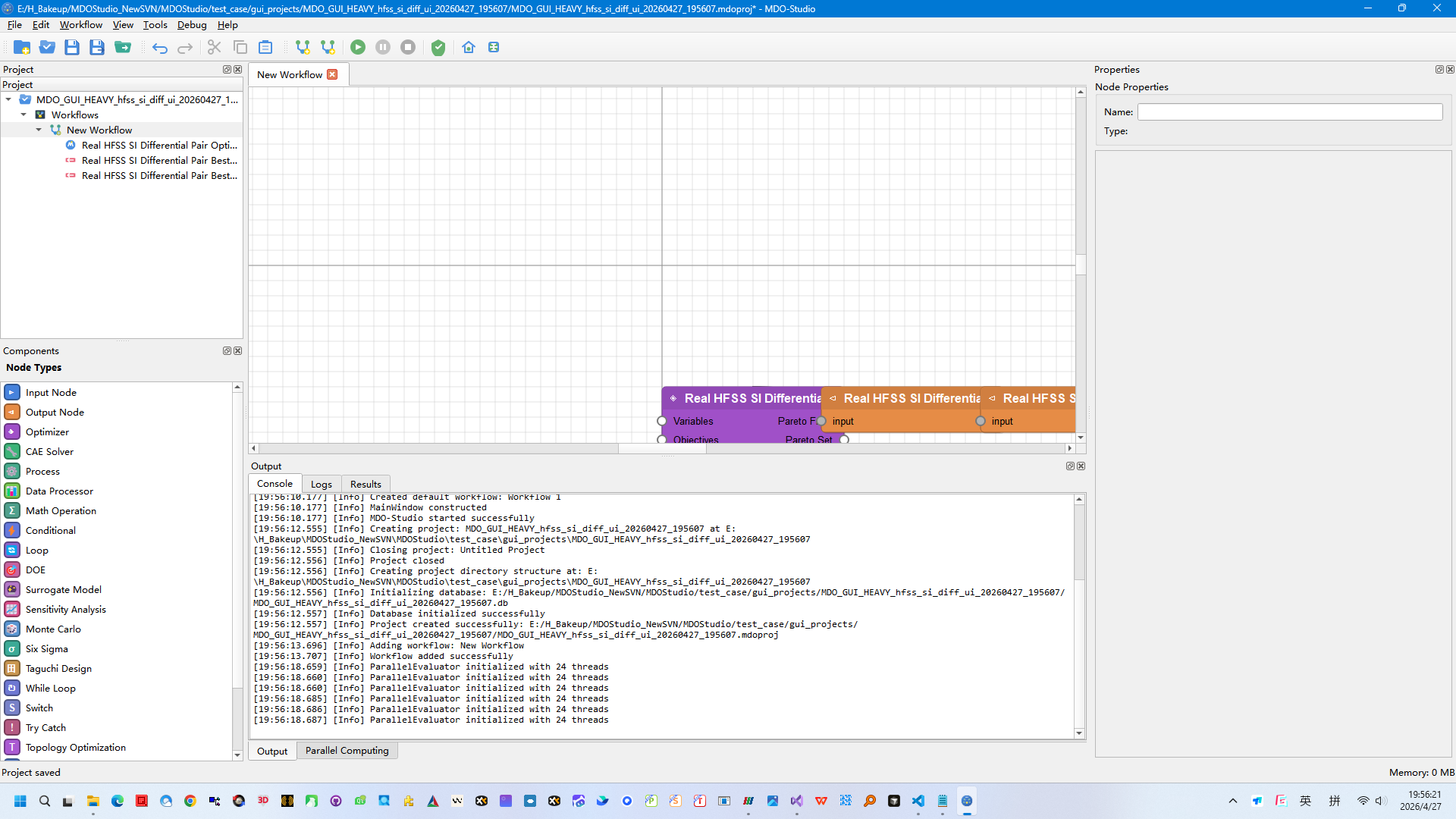
Workflow canvas
The product organizes studies around a node-based workflow area where optimization and solver steps can be connected and executed.
Open a project, create a workflow, and place the required engineering nodes for the target study.
Define data flow, execution order, branch behavior, and the external solver steps needed for evaluation.
Launch repeated evaluations, optimization loops, or design-space studies from the same workflow interface.
Review run output, compare study results, adjust the workflow, and reuse the project in the next engineering cycle.
Microgrid, Abaqus, and HFSS flows are already closed for demos.
The first demo group shows fixed workflows that run real engineering chains instead of toy optimization loops. The current fresh recheck closed all three visible entries and workflow reruns.
- Cases
- Microgrid dispatch, Abaqus single run, HFSS single run
- Status
- All three marked formal L6 ready
- Fresh check
- Workflow PASS and visible PASS on all 3 cases
Aircraft wing keeps a strong objective gap on a real study loop.
The wing case is useful when the demo needs a visible optimization story with geometry variables, repeated evaluations, and a result that is easy to explain to engineering teams.
- Runtime result
- 61 evaluations, 58 feasible
- Best objective
- -1324.111703
- Reference gap
- -14.05% against the accepted reference
Ten-bar truss lands exactly on the accepted benchmark value.
This case is one of the cleanest proof points on the site because the optimization result and the accepted public benchmark value close to the same number.
- Accepted reference
- 5061.0429 lb
- Product best
- 5061.0429 lb
- Gap
- 0.00%
FT06 closes to the accepted best makespan on a fresh rerun.
This study is a direct way to show that MDOStudio can also carry discrete workflow logic and benchmark-style result validation, not only continuous engineering variables.
- Fresh rerun
- 121 of 121 runs completed
- Best makespan
- 55
- Reference
- Accepted CP-SAT result = 55
10 primary customer-facing cases
The main set is already frozen around the cases that are easiest to rerun, easiest to explain, and least likely to fail during a live presentation.
8 additional L6 candidate studies
The second layer keeps more power-system, solver-link, and optimization cases ready when the customer conversation needs a narrower industry fit.
3 black-box customer packages
These trimmed cases support sales conversations where full runtime assets are too large or too sensitive to move around.
67 total usable case assets
The current case library combines 10 main cases, 8 extended L6 candidates, 3 commercial extracts, and 46 L4 public examples.